Saturday, March 14, 2009

Thing 16: You Tube


I looked at the suggested videos--I'd seen the monk/book before and it still a clever video.

I've placed videos on our website before. Here is one I used last year for National Library Week. Haven't found anything similar for library week 2009. Julie Andrews was originally of the ALA website, but don't see a video there for 2009. (The 2008 video has been uploaded to YouTube.) ALA does have audio PSAs. Hmm, wonder if I can get an audio on the library webpage.

I can see the value of using videos for the library. We'd have to embed the video since YouTube is blocked by our filter. Not hard to do assuming we have time to make a short video!

Thing 15: Rollyo


Rollyo is easy to work with to make your own search box. Wonder how much it gets used tho with Google dominating searching. You can pick which sites you want to search. Here's what I came up with for reference searches.


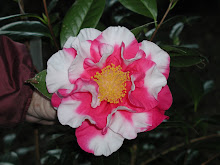
I searched camellias (!) and selected reference and came up with a list of links from reputable reference sites. Same when I chose to search the web.

I wasn't too happy with how a limited type of search worked. It may be okay for personal use to search, say, travel sites, but I don't think I'd trust their default list of sites for use in the library. I'd want to list my own trusted sites.

And then after I made a custom search on their webpage, I could not find the code to paste it in my blog. That seems to be two different things. I'm not seeing Rollyo of much use for library sites.

Friday, March 6, 2009

Thing 14, part 2

I read through the "10 Top Productivity Web Sites." I already use eight of the ten so I read about the other two.

MyStickies wouldn't work with my version of Firefox. Since it's a bookmarking site, I figured I wouldn't worry about it and just 'stick' to my new favorite, Delicious.

Joe's Goals was interesting. I signed up for an account and thought I would keep track of some personal things. You can add a gadget for your goals to iGoogle. I did that and it is easy to click through and update your goals. For me it's sort of like a daily to do list.

Thursday, March 5, 2009

Thing 14: Online productivy tools


Online productivity tools-- they can be productive!

I have a customized Yahoo page as well as and iGoogle page. I've added widgets and gadgets to each.

I looked at 30Boxes as a calendar page. I already have a calendar on MyYahoo page. I've also used Google calendar to post library programs.

I signed up for a to-do list. I've heard of Remember the Milk, so I signed up for an account. I tend to put deadlines on MyYahoo calendar so I'm not sure I'll use Remember the Milk too much. I also have a to-do list gadget on my iGoogle.

I liked Backpack. The idea of putting everything on one list and uploading things you need was nice. That one I might use.

I'm familiar with Lifehacker. Good tips there. I have that gadget on my iGoogle page.

I looked through the article "10 Top productivity web sites" I know about or use eight out of ten. I'll read up on the other two.

Thing 13, part 3

I made a Library Thing search widget. Here's how it looks.


You can search my Library Thing library. Kind of limited since I don't have many books in there yet. Try searching on 'detective fiction.'

Tuesday, March 3, 2009

Thing 13, part 2

I added some books to Library Thing and made a widget of the books. Here's how it looks. The text links back to my books on Library Thing. The book jacket links to Amazon which the developer says is a requirement for using covers from Amazon.

I wonder how this would work in making a widget for new books in our library. Wish I knew programming to get the widget to link back to our catalog. I like the book covers but don't really want to send people to Amazon. I want them to borrow books from the library not buy them from Amazon!

Monday, March 2, 2009

Thing 13: Library thing


I'm going to like Library Thing. I've heard about it but never really investigated it.

I added some books, easy to do. Love how the cataloging pops in there! I like the tags aspect, so I can find other books to read. I'm always looking for similar books to my favorites.

Interesting use of Library Thing with book reviews for teens. I also liked the use by one teacher and her reading class.

More on Library Thing later.